
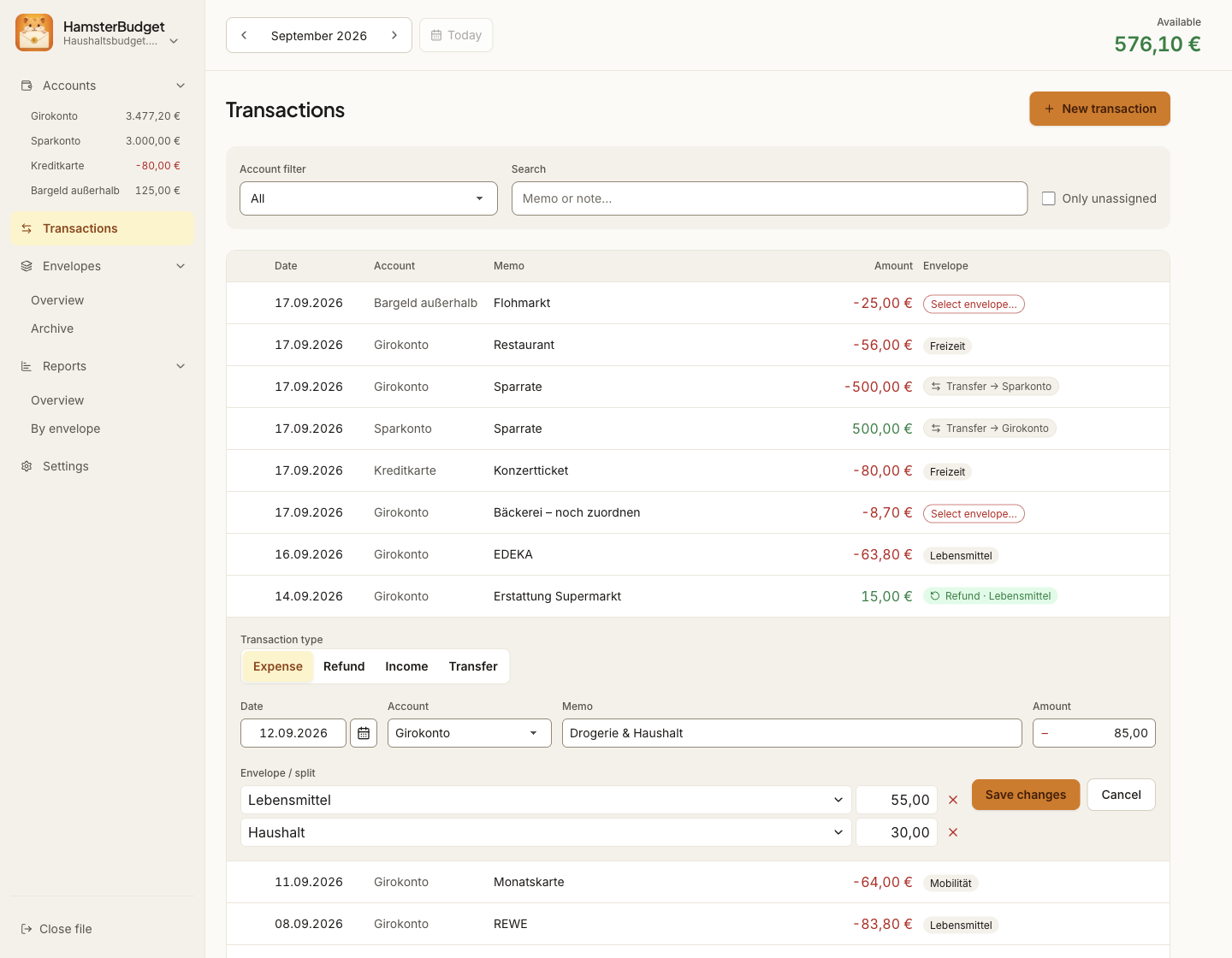
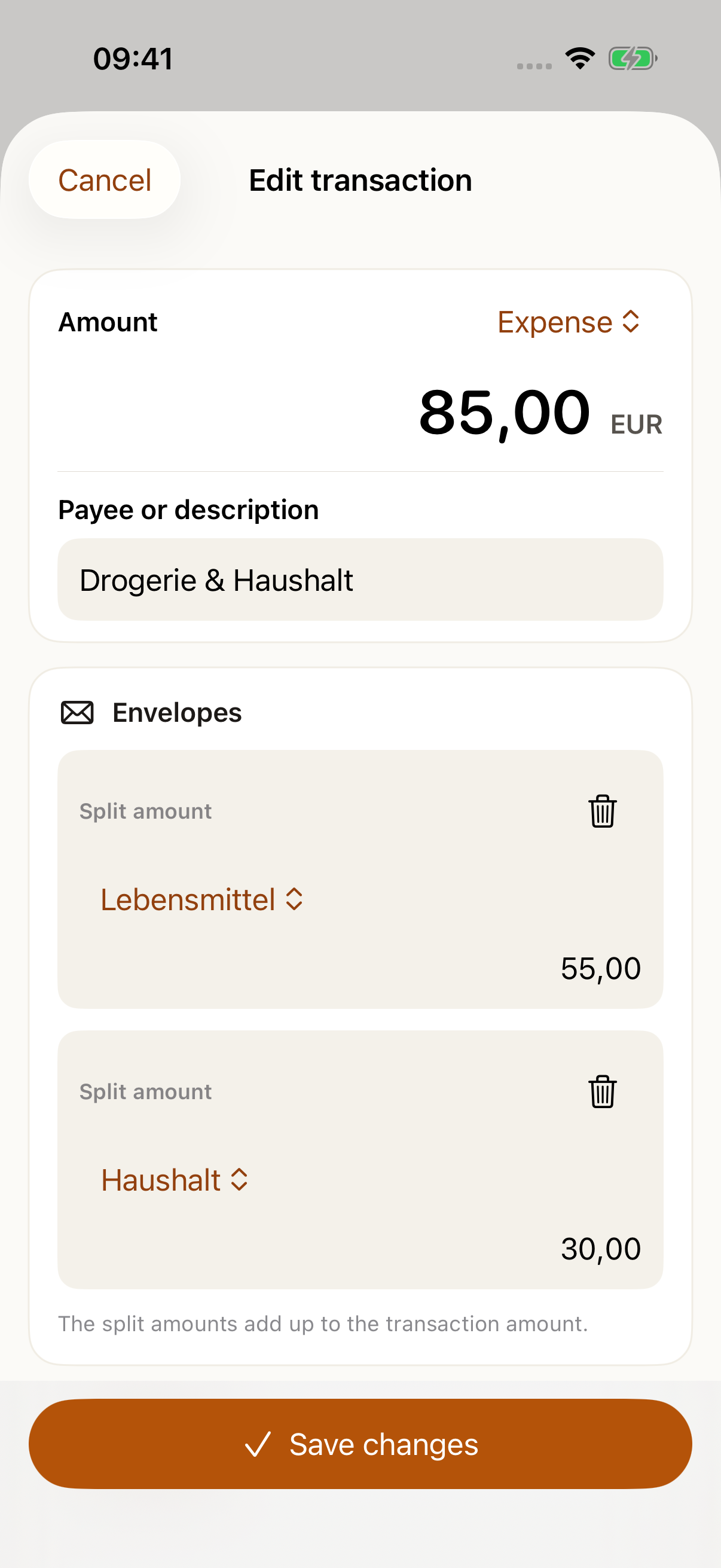
One purchase, multiple envelopes.
Split a shopping trip between groceries and household spending. HamsterBudget checks the amounts before you save.
Envelope budgeting for your Mac
Divide your money into digital envelopes for bills, everyday spending and savings goals. See what is left before each purchase.
Available now for macOS. iPhone and iPad have been submitted to Apple.
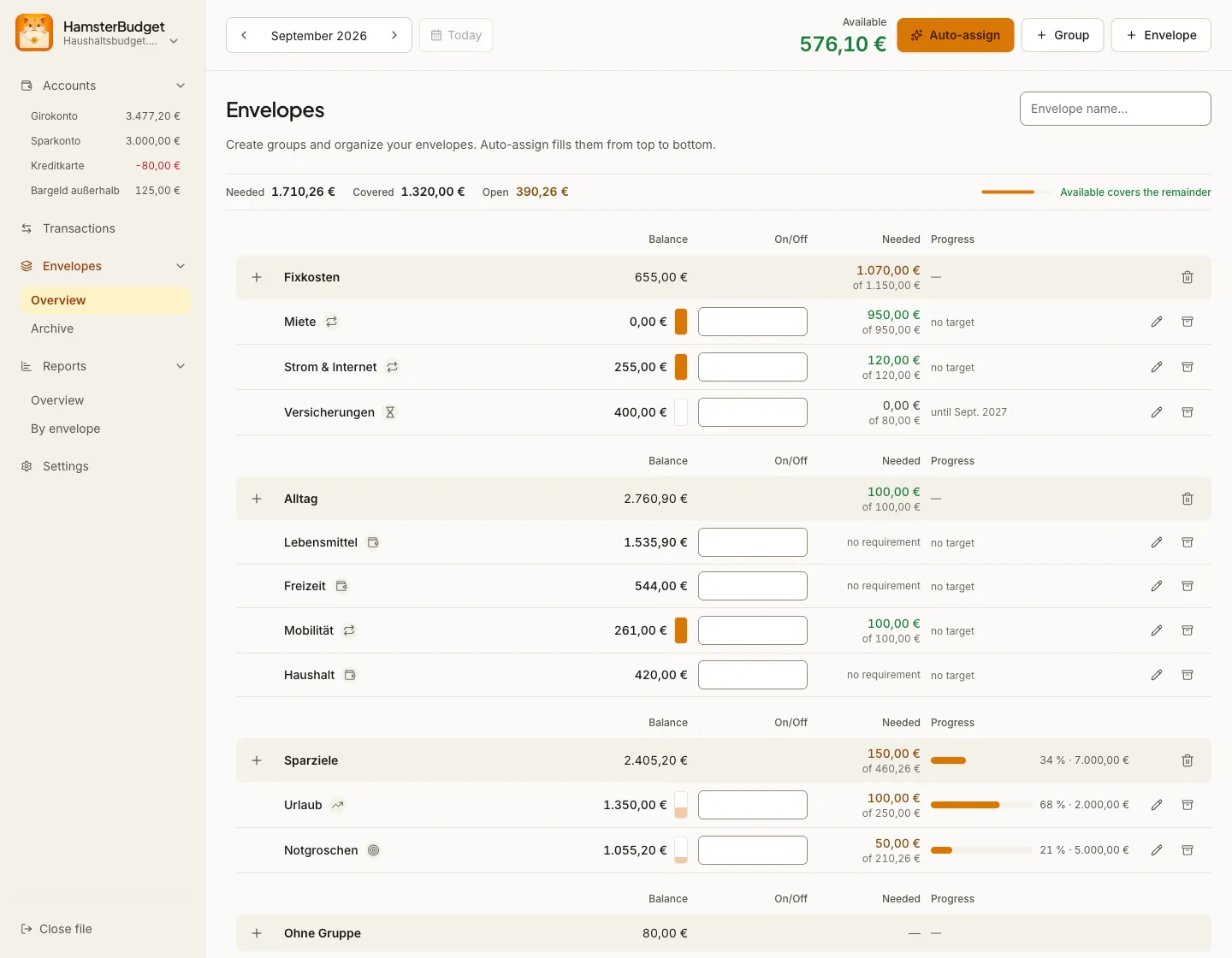

Your budget, at a glance
Bills, everyday spending and savings goals sit in one place. Open an envelope to check the amount still available for it.
Coming to iPhone & iPad
The iPhone and iPad app has been submitted to Apple. Once approved, it will let you check your budget and record spending on the go.
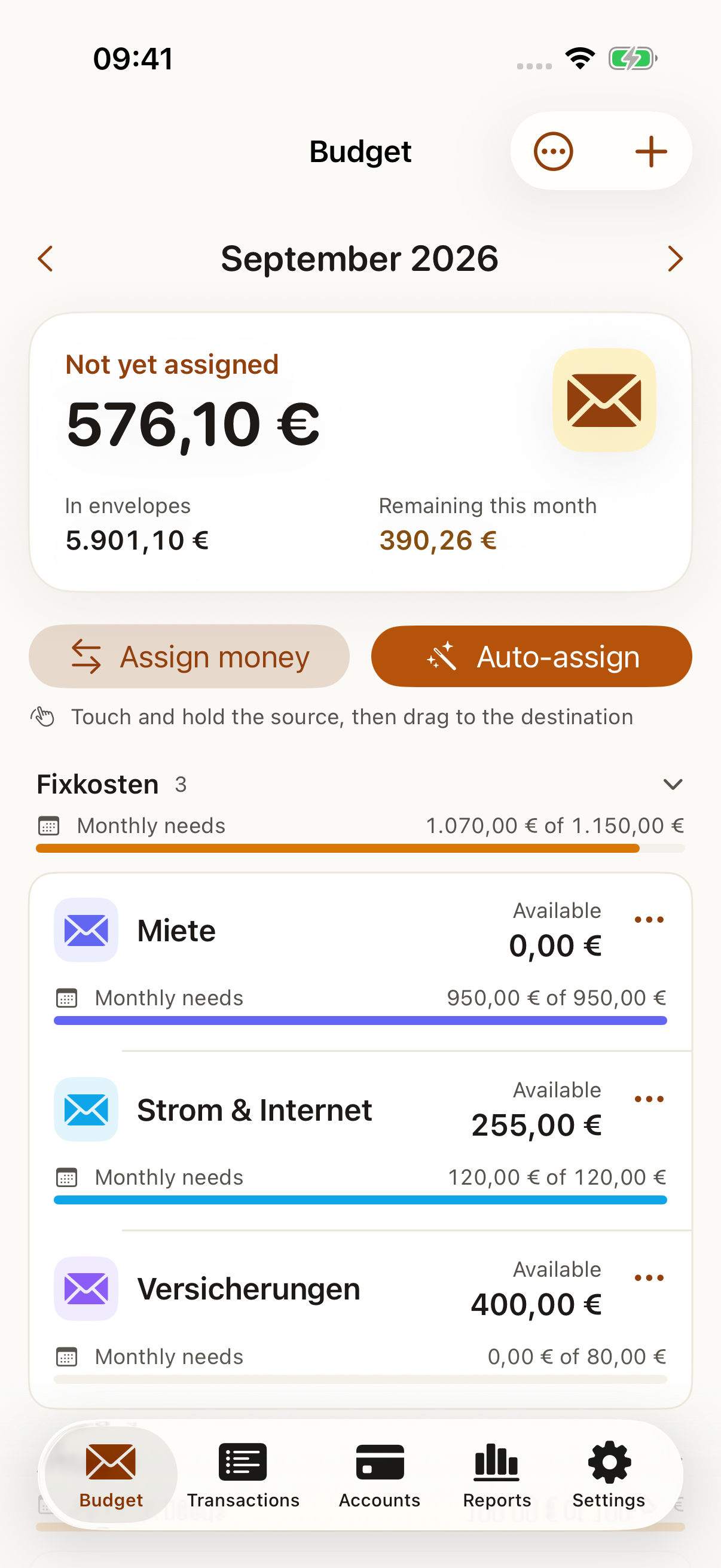
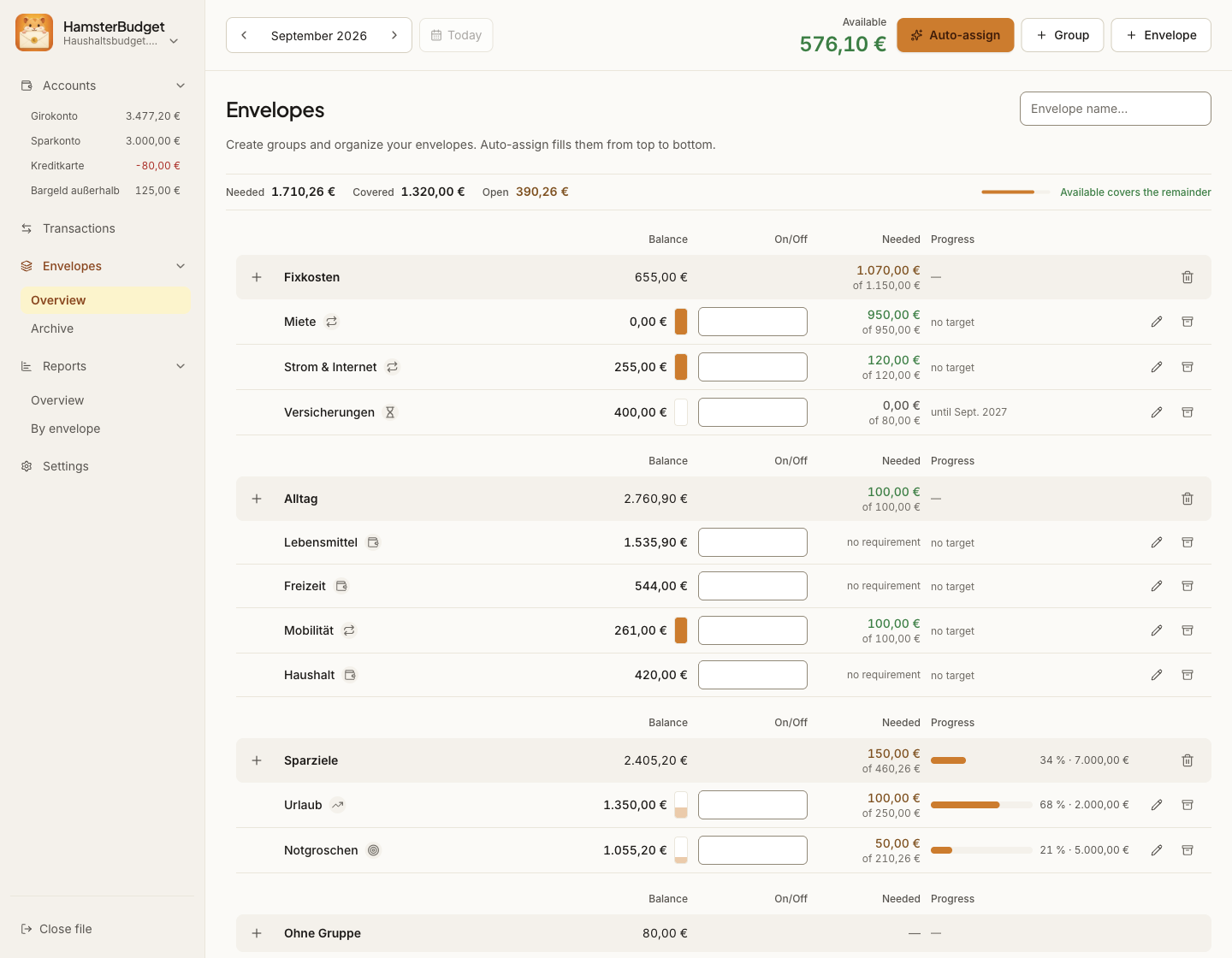
Your bank balance is not your budget. You might have €1,000 in your account, but some of it is already meant for rent, groceries or a holiday. Envelopes show what is still available for each purpose.
How it works
Enter what you have, your regular costs and what you are saving for.
Allocate your money yourself or get a suggested split based on your priorities.
Enter each expense and see the remaining amount in its envelope right away.
Reports show where your money went, so you can plan the next month with a clearer picture.
Inside the app
Split a shopping trip between groceries and household spending. HamsterBudget checks the amounts before you save.
Automatic allocation suggests amounts based on your priorities. Review the preview before applying them.
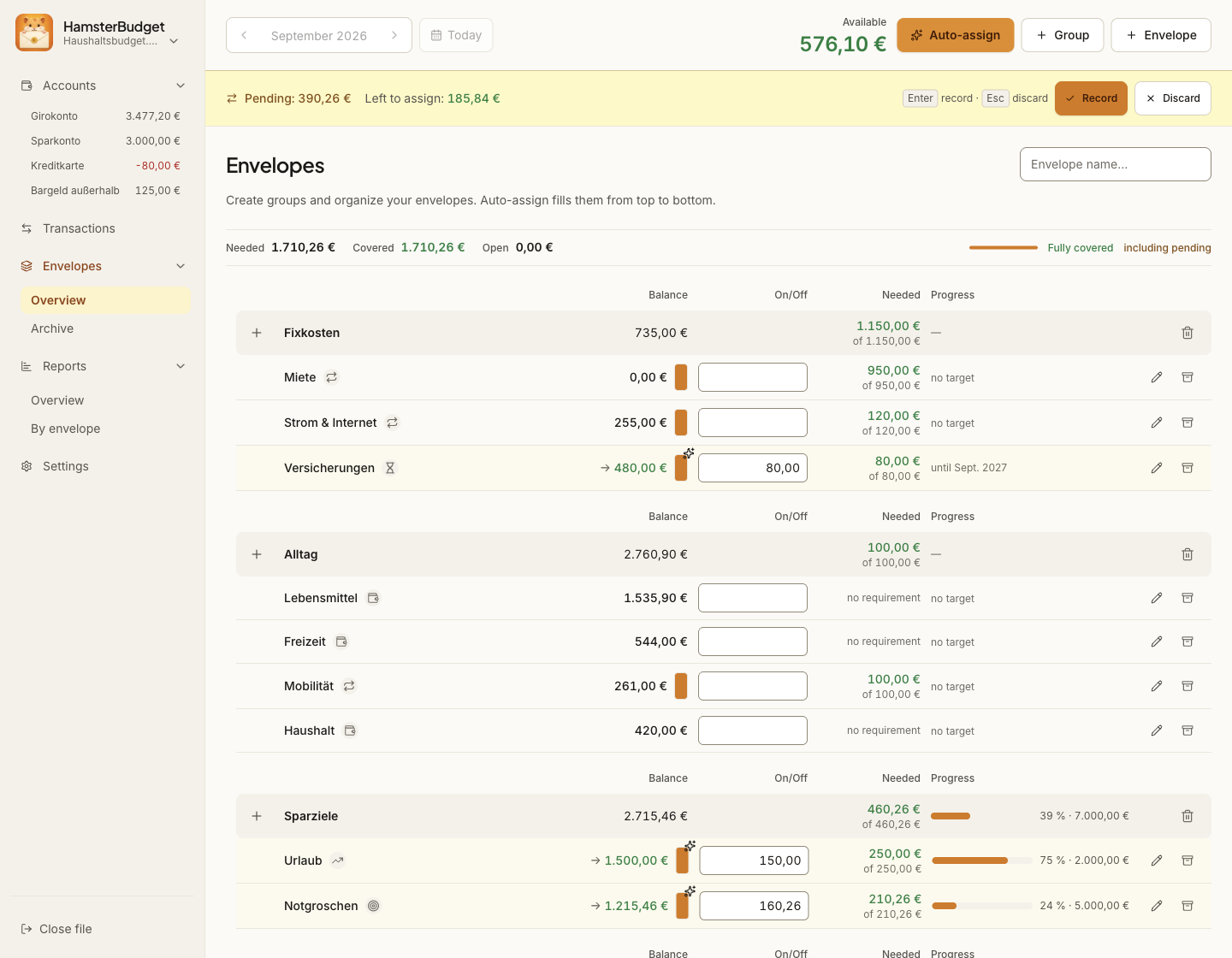
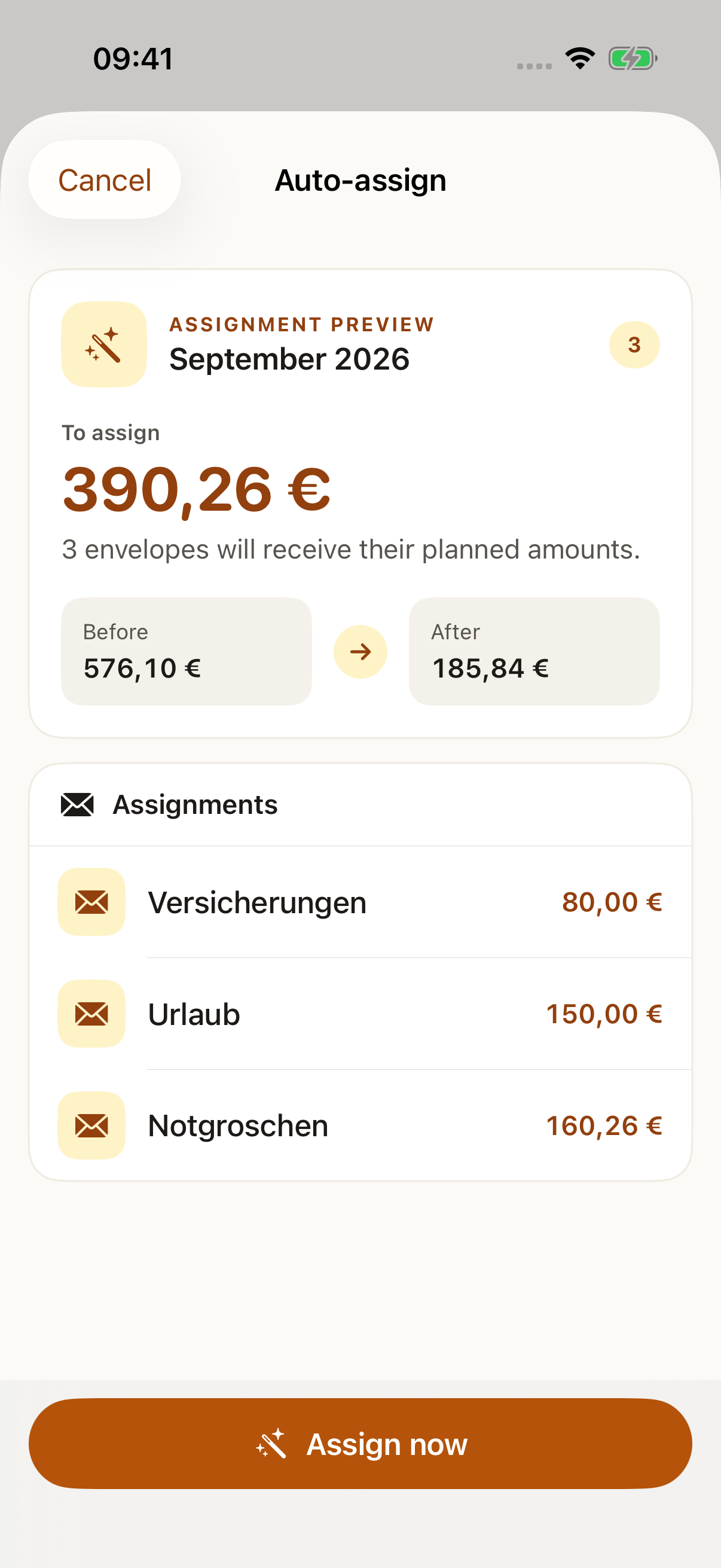
Accounts · Regular expenses · Savings goals · Round-up savings · Reports · BudgetWithBuckets import
Your data
HamsterBudget stores your budget in a file on your device. Plan offline and back up that file yourself. If you want to connect devices later, optional sync will let you do that.

Prices & apps
The Mac app is available now. The iPhone and iPad app has been submitted to Apple.
Available now
macOS · Apple Silicon
Plan your budget, check your envelopes and record spending on your Mac.
€49.99one-time purchase
One-time purchase for one person on up to five devices. Updates included.
Your license key arrives by email after purchase. Initial activation needs an internet connection; you can then budget offline.
Submitted to Apple
iPhone & iPad
Soon you will be able to check your budget and record spending on the go.
€19.99one-time purchase
Coming soon
Submitted to Apple. Purchases will open in the App Store after approval.
Planned
Optional device sync
Planned sync will keep your budget up to date across devices. It will require a HamsterBudget account and a sync subscription. Your budget works on your Mac without either one.
Prices in EUR. App Store prices may vary by country.
Download the macOS app and activate it with your license key. Your key arrives by email after purchase. Open the DMG and drag HamsterBudget into Applications.
Frequently asked questions
No. The macOS app is a one-time purchase. The upcoming iOS app will be sold separately; an optional sync subscription will follow.
Your budget is stored in a local .budget file. Keep a backup on another storage device. Device sync does not replace your own backup.
No. You enter accounts and transactions yourself. HamsterBudget does not need access to your online banking.
In a local .budget file on your device. You decide where to store it and how to back it up.
Yes. All core budgeting features work locally without an internet connection.
This is planned with the upcoming iOS app and optional device sync. The macOS app is available at launch.
At launch: macOS 13 or later on Apple Silicon Macs (M-series chips). Windows, Linux, iPhone and iPad versions will follow.
A guided import transfers BudgetWithBuckets files into a new or empty budget.
One desktop license covers one person on up to five devices. At launch, HamsterBudget is available for macOS on Apple Silicon. It is a one-time purchase; the iOS app is purchased separately. Initial license activation requires an internet connection.
Updates are included in your desktop license.
Start your budget
Divide the money you have into envelopes and keep spending in view. HamsterBudget is available now for macOS.